From a customer request to a proposal, automatically
At Click-Pax I design packaging concepts for clients. Lately most of my time goes into the tools around that work: a chain of programs that turns a request into a dieline, a print, 3D renders, a price indication and a proposal.
The chain
01Every quote needs the same steps: a dieline, a print mock-up, renders, a price and a document. I built that route as a chain of small programs. Each block has a fixed input, its own tests and a contract with the next one, so a block can be improved without breaking the rest.
No language model does the maths. The calculations are deterministic and traceable; a person checks the result before it goes out.
Fig. 1 — The route from request to proposal. Click a step.
Try it: a mailer from three numbers
02The first block draws a dieline from a box type and inside dimensions. Below is a simplified browser version for a FEFCO 0427 mailer: change the size, the dieline is redrawn and folded in 3D. The real tool works to ArtiosCAD conventions within 0.5 mm and refuses sizes that can't be made.
Fig. 2 — FEFCO 0427, inside dimensions in mm. Simplified: fixed B-flute offsets, no bend radius.
Folding boxes in Blender
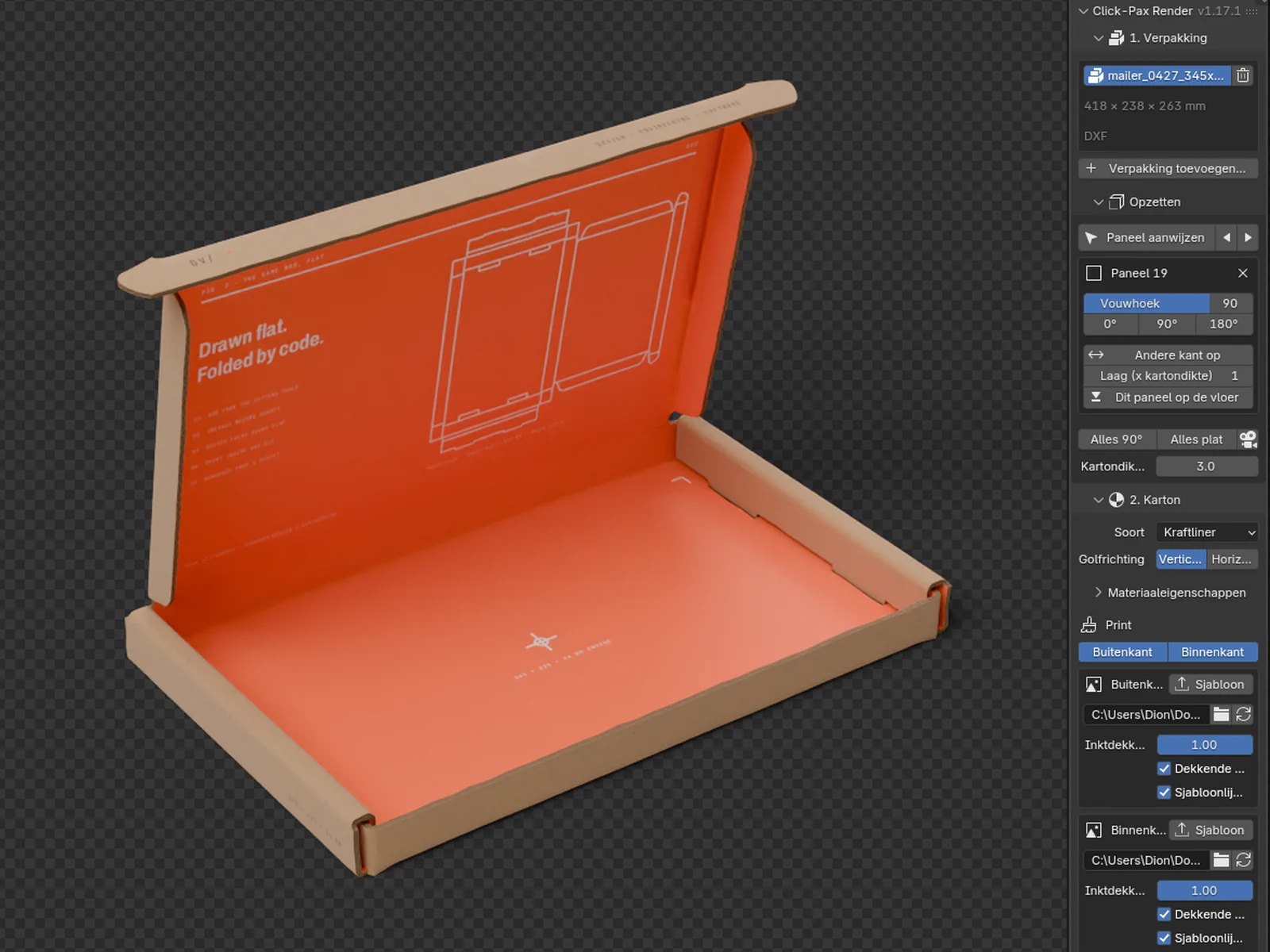
03The render step runs on a Blender add-on I built. It reads the flat production DXF, folds it into a real box with layered flaps, bend radius and board thickness, puts the print on the outside and the inside and renders fixed views. It runs headless, so a whole folder of drawings can be rendered in the background or on a server.
A second add-on, also mine, lays paper insulation liners into a box procedurally with Geometry Nodes, for the chilled and frozen packaging of sister label Iso-PAX.
- 01 · Read
Imports the ArtiosCAD DXF. Cut lines become panel edges, crease lines become hinges.
- 02 · Fold
A recipe per box type says which panel folds when, how far and on which layer.
- 03 · Board
Real board thickness, layered flaps and a bend radius. Flaps never run through each other.
- 04 · Print
Separate artwork for the outside and the inside, placed 1:1 on the dieline.
- 05 · Views
Fixed views, closed and open, on white and transparent. Kraft, brown or white board.
- 06 · Headless
Runs without the interface from a queue, in the background or on a server.
 A
B
C
A
B
C
- A Pick a panel in the viewport, set its fold angle. Everything attached follows.
- B Layer in board thickness: here the tuck flap sits one layer out, in front of the front wall.
- C Print outside and inside, each from its own template, with or without opaque ink.
Fig. 3 — The add-on in Blender, live render in the viewport.
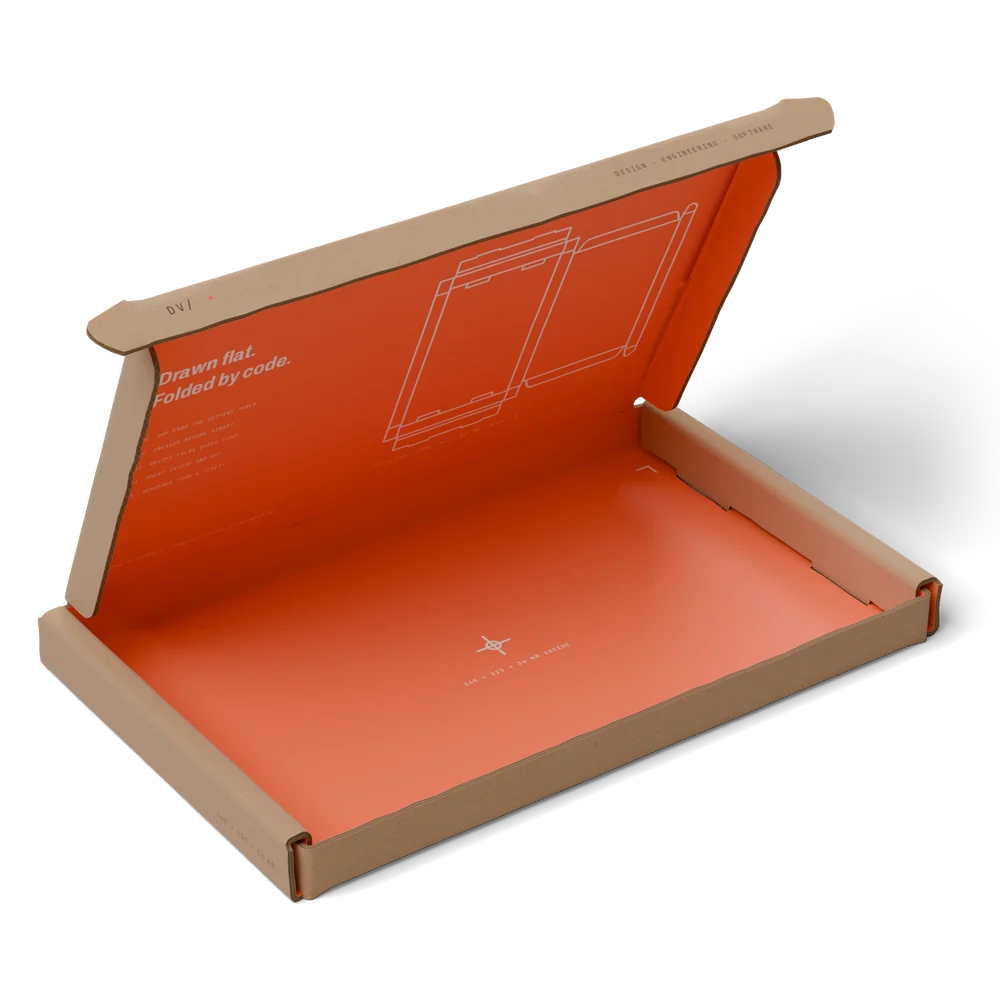
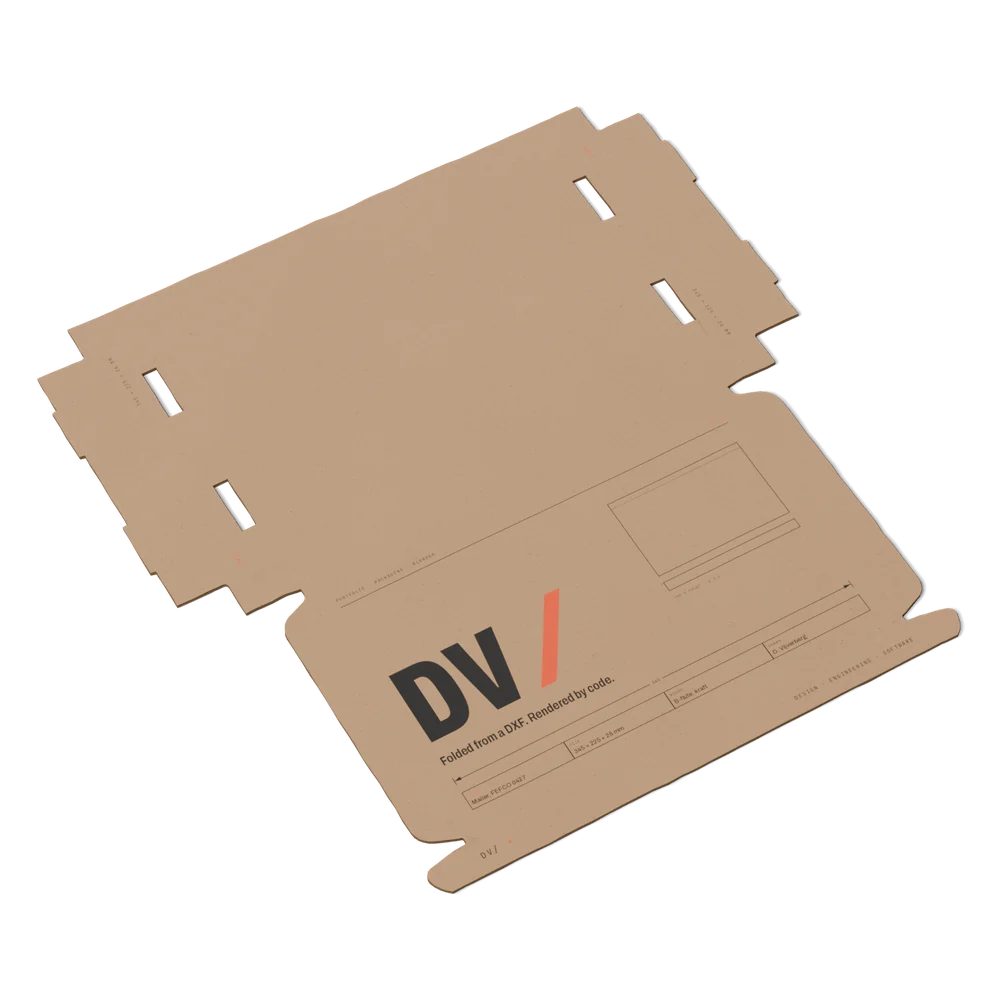
Fig. 4 — Final renders from a script: one DXF and two print files in. Open, and plano with the outside up. The print is my own concept.
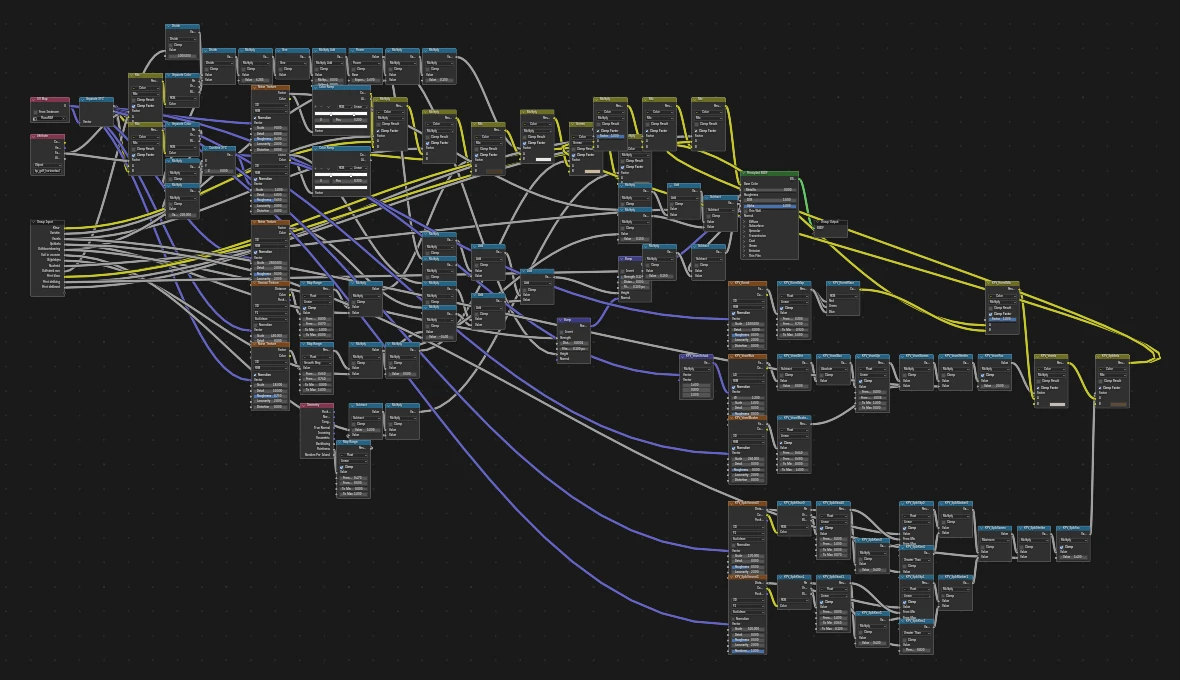
Fig. 5 — The board is procedural: fibres, specks, flute show-through, cut and crease lines and the two prints, all in one node group.
Packaging concepts
04The design side is where it started: packaging concepts for clients in horticulture, from first sketch to production-ready design, with direct client contact.
For sister label Iso-PAX I made concept proposals for webshops that ship frozen or chilled meat: their own print on our box, renders with the insulation liners inside, test data and box types, in a three-page PDF per company.
How I work with AI
05AI as a development partner
I build these tools together with Claude. It lets me build software well beyond what I could write alone, as long as there is discipline around it.
Tests, contracts, reviews
Every block has tests. Changes go through a branch and a pull request with green tests in a shared repository. Fields may be added, never renamed.
Never invent data
Unknown values are marked for checking instead of guessed. A proposal with open checks gets a draft watermark and can't be finalised.
People stay in the loop
The chain does the repetitive work; a person checks the output, and anything the tools reject goes to a human.